 Mímir
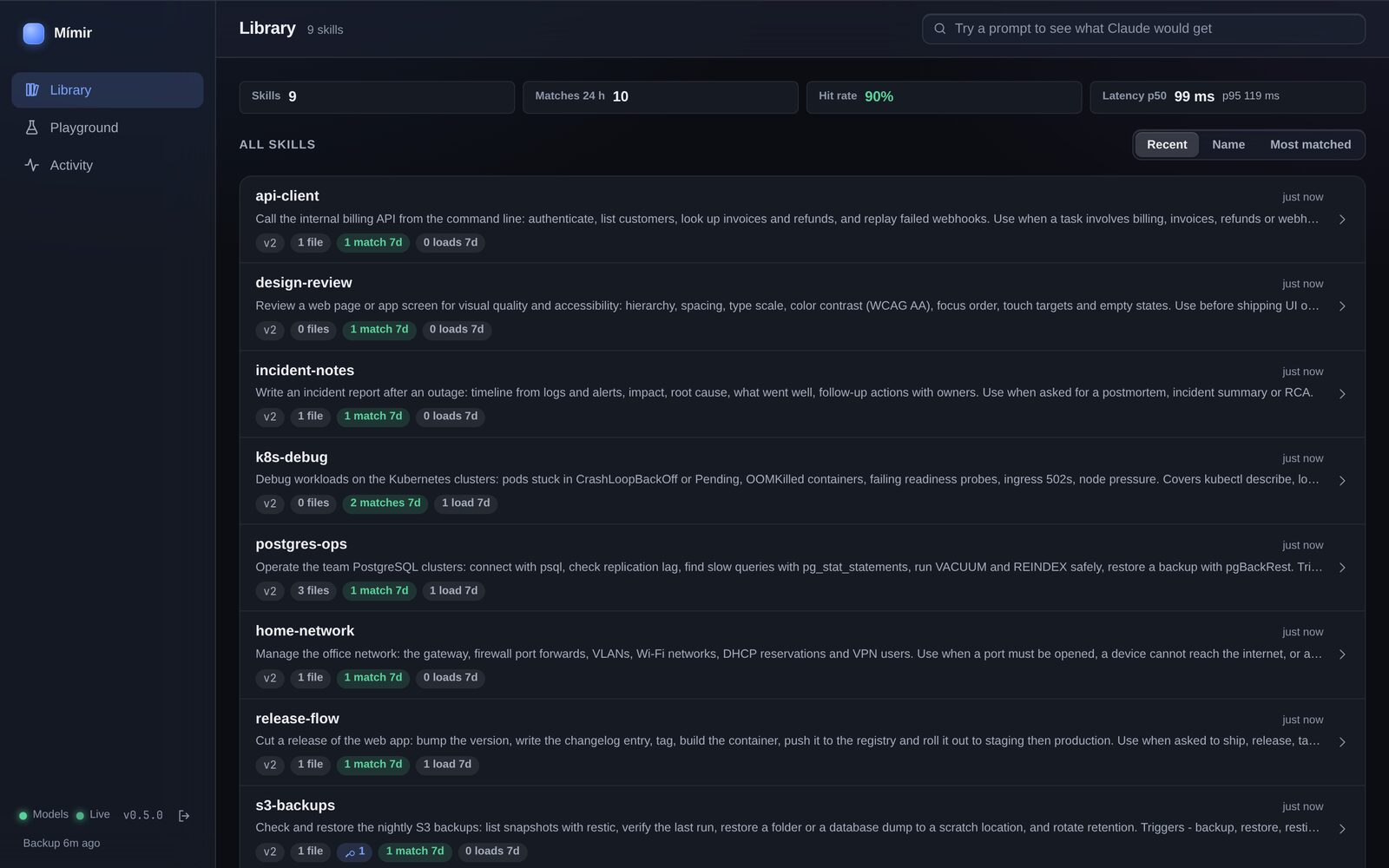
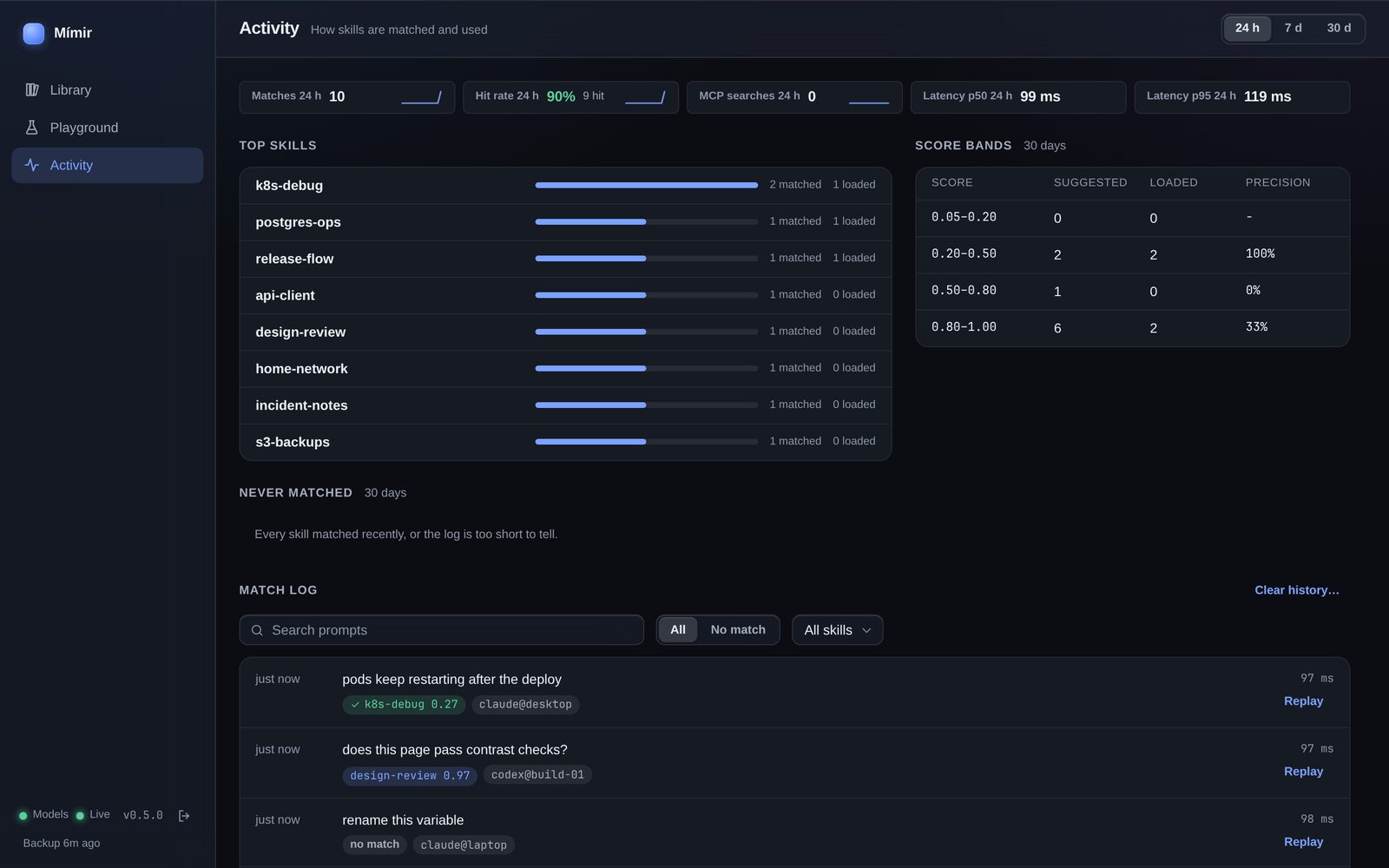
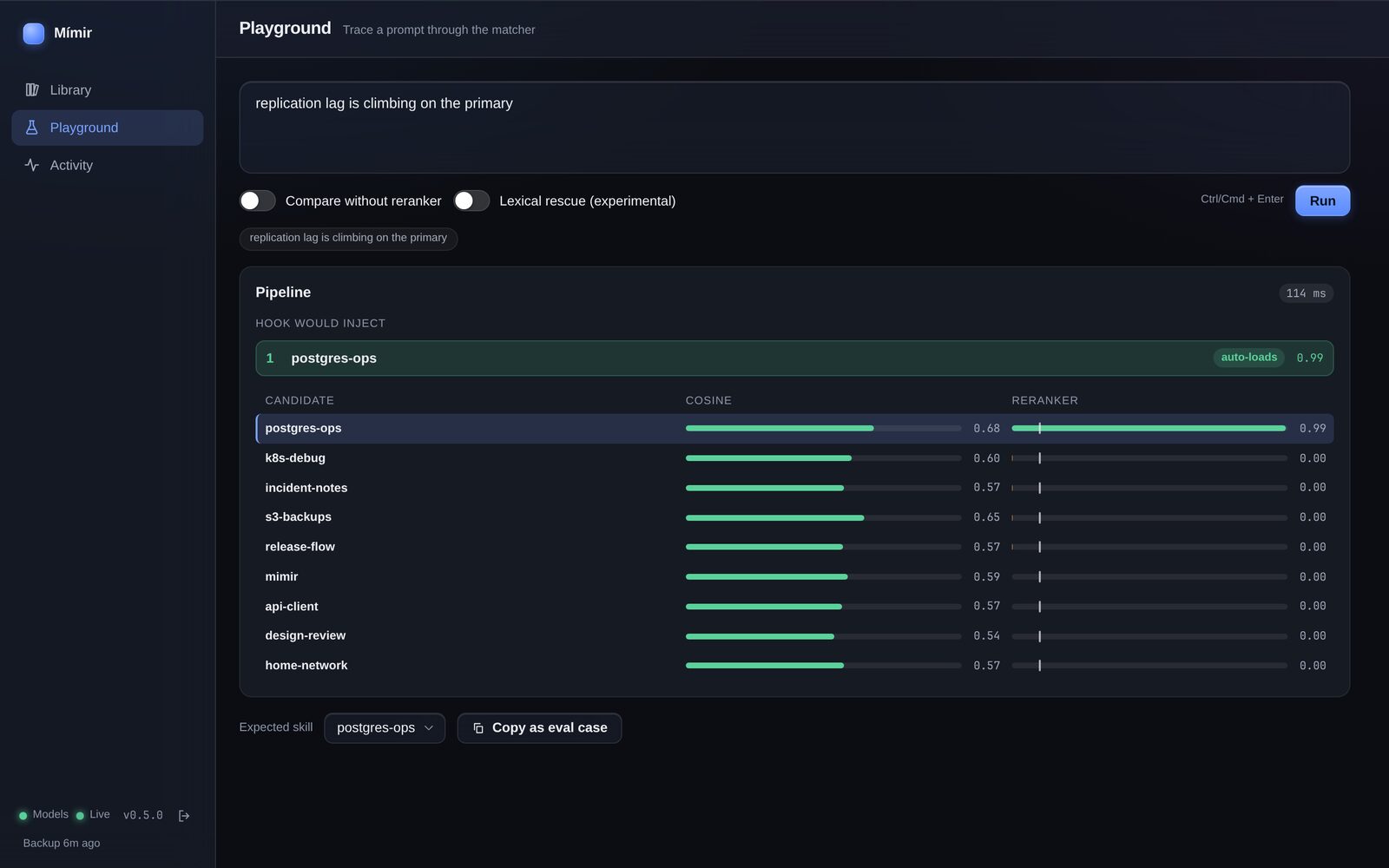
The reranker scores every skill for each prompt
An embedding model shortlists twelve skills and a reranker judges whether each one would help.
Mímir keeps your Agent Skills on one server and gives Claude Code or Codex the right one for each prompt, matched by meaning in about 100 ms.
Instructions, scripts, reference files and secrets live in one SQLite database instead of a skills folder copied to every laptop.

An embedding model shortlists twelve skills and a reranker judges whether each one would help.
A prompt hook adds the matches; above 0.9 it loads the whole skill once per session.
# ~/.claude/settings.json
"UserPromptSubmit": [{ "hooks": [
  { "type": "command", "command": "mimir hook" } ] }]

# injected into the conversation
Mímir loaded skill `release-flow` for this
prompt (best match). Its files are in
~/.cache/mimir/skills/release-flow.
Prompts that need no skill get none. On a 140-prompt test set, none of the 35 got a false match.
$ mimir eval cases.tsv
recall@1   0.92     recall@3   0.99
decisions right   0.93
false alarms      0 / 35
latency p50       126 ms
The hook gives up after 2.5 seconds, and loaded skills are cached for when the server is away.
$ mimir doctor
✓ server reachable, version 0.5.0 matches the client
✓ token accepted (9 skills)
✓ embedding and reranking models reachable
✓ Claude hook and MCP server registered
✓ Codex hook and MCP server registered
MIT licence. Use it, fork it, change it and ship it. Issues and pull requests are welcome.
See the source on GitHub Written in RustOne binary of 8 MB for the server, web UI, CLI, prompt hook and MCP server.
 Stored in SQLiteOne database file holds every skill, version and log.
 Runs on your own serverSmall local models through llama.cpp. Nothing leaves your network.
A static binary for x86_64 Linux, with SQLite and the web UI built in. To build from source instead, see the README.
A systemd user service on port 7440, with a new random token.
$ curl -LO https://github.com/olibuijr/mimir/releases/latest/download/mimir-x86_64-linux.tar.gz
$ tar xzf mimir-x86_64-linux.tar.gz
$ cd mimir-x86_64-linux && ./install.sh
EmbeddingGemma and Qwen3-Reranker, served by llama.cpp.
$ llama-server -hf ggml-org/embeddinggemma-300M-GGUF --embeddings --port 8084
$ llama-server -hf ggml-org/Qwen3-Reranker-0.6B-Q8_0-GGUF --reranking --port 8085
Adds the hook and MCP server to Claude Code and Codex.
$ MIMIR_URL=http://server:7440 ./client.sh
$ mimir import ~/.claude/skills/*
# web UI: http://server:7440
Agents search, load and save skills through four MCP tools, or the CLI with --json. Mímir also ships a skill that teaches agents to write new skills that pass the spec and to fix a broken setup.
skill_searchFind skills for what the agent is about to doskill_getLoad one, with its scripts and secrets installedskill_listEvery skill with its descriptionskill_saveCreate or update a skill, checked against the spec$ mimir --json search "ship 2.4.1 to production" -k 1 {"hits":[{"name":"release-flow","score":0.92, "cosine":0.71,"description":"Cut a release of ..."}], "ms":118} $ mimir new nightly-report -d "Build the nightly ..." created nightly-report/SKILL.md $ mimir import nightly-report nightly-report v1 0 files, 0 KB $ mimir --json doctor {"ok":true,"version":"0.5.0","checks":[...]}
Claude Code and Codex through the prompt hook and MCP. Any agent that speaks MCP or can run a command can search and load skills.
No. Matching runs on your server with local models. Prompts are logged for 30 days so you can see why a skill did or did not match.
A skill's .env is stored on the server and written to the machine, mode 600, when the skill is loaded. The web UI never shows secret values.
The two models are about 1 GB together and run on a CPU; on a GPU a match takes about 100 ms.
$ mimir validate release-flow
release-flow
  error: unexpected field `owner`: the spec
         allows only name, description, license,
         compatibility, metadata, allowed-tools;
         put extra data under `metadata`
  warn:  SKILL.md refers to `scripts/release.sh`,
         which is not in the skill
1 skills: 0 valid (0 with warnings), 1 invalid
Skills follow the open Agent Skills format, so mimir export writes plain folders any agent can read.